Building Low-Latency Real-Time Dashboards: Server-Sent Events (SSE) vs. WebSockets in Next.js

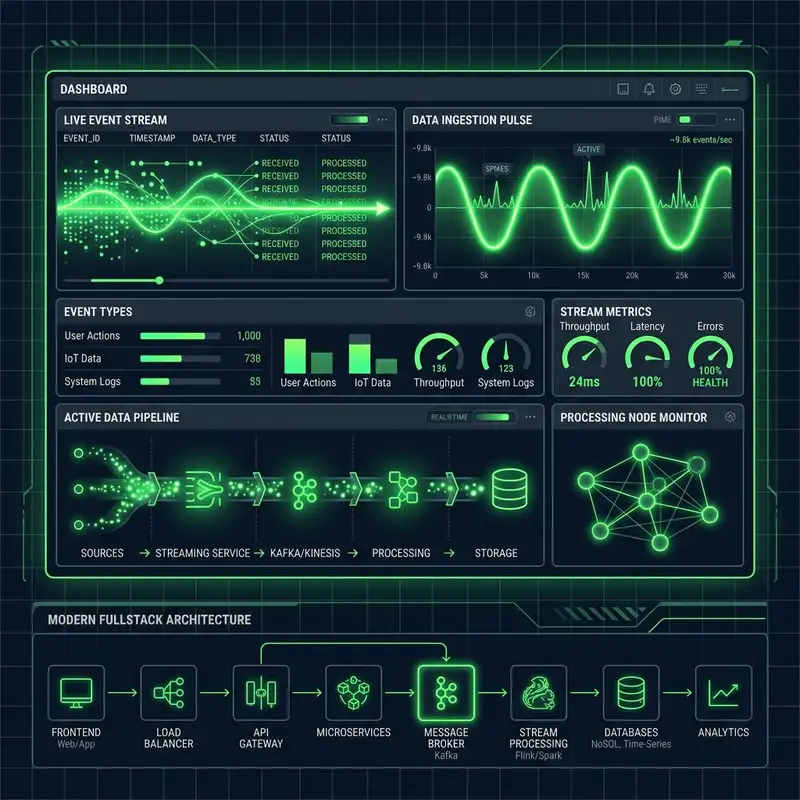
Modern web applications—such as live crypto exchanges, SaaS analytics dashboards, order tracking feeds, and AI streaming chat UIs—require low-latency server-to-client data streaming.
For years, WebSockets were the default choice for real-time communication. However, WebSockets introduce stateful TCP connection overhead, require dedicated proxy infrastructure (or external services like Socket.io/Pusher), and bypass standard HTTP security and caching headers.
For unidirectionally pushed data (where the server streams updates to the client), Server-Sent Events (SSE) provide a lightweight, HTTP-native alternative that works seamlessly out of the box with Next.js App Router and Edge runtime functions.
Here is a technical guide comparing SSE vs. WebSockets and implementing production-ready streaming dashboards in Next.js.
SSE vs. WebSockets Architectural Comparison
Server-Sent Events (SSE)
SSE is a standardized W3C specification built directly into the HTTP protocol. The client opens a persistent connection via the native browser EventSource API, and the server streams data over standard HTTP/2 or HTTP/3 response streams using the text/event-stream MIME type.
- Directionality: Unidirectional (Server → Client).
- Protocol: Standard HTTP / HTTPS (Port 443).
- HTTP/2 Multiplexing: Shares a single TCP connection with other page requests, avoiding connection limits.
- Built-in Reconnection: Browser automatically handles exponential backoff reconnection and sends a
Last-Event-IDheader to resume state.
WebSockets
WebSockets initiate an HTTP handshake and then upgrade the protocol to a full-duplex, bidirectional TCP socket (ws:// or wss://).
- Directionality: Bidirectional (Client ↔ Server).
- Protocol: Statefully upgraded TCP frame stream.
- Infrastructure Overhead: Requires stateful server instances or socket gateways to maintain active client sockets across load balancers.
Step-by-Step Implementation in Next.js App Router
1. Building an Edge-Compatible SSE Route Handler
In Next.js App Router, you can stream SSE events using the Web API ReadableStream in Route Handlers:
// app/api/stream/metrics/route.ts
import { NextRequest } from "next/server";

export const runtime = "edge"; // Run on Edge runtime for sub-second global streaming

export async function GET(request: NextRequest) {
  const encoder = new TextEncoder();

  // Create a ReadableStream for server-pushed events
  const stream = new ReadableStream({
    async start(controller) {
      let counter = 0;

      // Send initial connection event
      controller.enqueue(
        encoder.encode(`event: connected\ndata: ${JSON.stringify({ status: "ready" })}\n\n`)
      );

      // Periodically push live metrics payload
      const interval = setInterval(() => {
        counter++;
        const payload = {
          timestamp: new Date().toISOString(),
          activeUsers: Math.floor(Math.random() * 500) + 1200,
          requestsPerSecond: Math.floor(Math.random() * 50) + 300,
          cpuUsage: (Math.random() * 20 + 15).toFixed(1),
        };

        // Standard SSE format: id, event, data payload ending with double newline \n\n
        const eventData = `id: ${counter}\nevent: metrics-update\ndata: ${JSON.stringify(payload)}\n\n`;
        controller.enqueue(encoder.encode(eventData));

        if (counter >= 100) {
          clearInterval(interval);
          controller.close();
        }
      }, 2000);

      // Clean up timer if stream is aborted by client disconnect
      request.signal.addEventListener("abort", () => {
        clearInterval(interval);
        controller.close();
      });
    },
  });

  return new Response(stream, {
    headers: {
      "Content-Type": "text/event-stream",
      "Cache-Control": "no-cache, no-transform",
      "Connection": "keep-alive",
      "X-Accel-Buffering": "no", // Disable NGINX / proxy response buffering
    },
  });
}
2. Consuming SSE in React Client Components
Using the browser's native EventSource API inside React useEffect:
// components/MetricsDashboard.tsx
"use client";

import { useEffect, useState } from "react";

interface Metrics {
  timestamp: string;
  activeUsers: number;
  requestsPerSecond: number;
  cpuUsage: string;
}

export default function MetricsDashboard() {
  const [metrics, setMetrics] = useState<Metrics | null>(null);
  const [connected, setConnected] = useState(false);

  useEffect(() => {
    // 1. Initialize EventSource to listen to Next.js route
    const eventSource = new EventSource("/api/stream/metrics/");

    eventSource.addEventListener("connected", () => {
      setConnected(true);
    });

    // 2. Listen for custom event type
    eventSource.addEventListener("metrics-update", (e: MessageEvent) => {
      const data: Metrics = JSON.parse(e.data);
      setMetrics(data);
    });

    eventSource.onerror = (err) => {
      console.error("SSE connection error:", err);
      setConnected(false);
    };

    // 3. Clean up on unmount
    return () => {
      eventSource.close();
    };
  }, []);

  return (
    <div className="p-6 rounded-2xl bg-white/5 border border-white/10 text-white">
      <div className="flex items-center gap-3 mb-4">
        <span className={`w-3 h-3 rounded-full ${connected ? "bg-brand animate-pulse" : "bg-red-500"}`} />
        <h3 className="font-bold text-lg">Live Analytics Stream</h3>
      </div>
      {metrics ? (
        <div className="grid grid-cols-3 gap-4 font-mono text-sm">
          <div>Users: <span className="text-brand">{metrics.activeUsers}</span></div>
          <div>RPS: <span className="text-brand">{metrics.requestsPerSecond}</span></div>
          <div>CPU: <span className="text-brand">{metrics.cpuUsage}%</span></div>
        </div>
      ) : (
        <p className="text-xs text-muted">Connecting to stream...</p>
      )}
    </div>
  );
}
SSE vs. WebSockets Decision Matrix
| Requirement | Use Server-Sent Events (SSE) | Use WebSockets |
|---|---|---|
| Data Direction | Server-to-Client push (Dashboards, Feeds, AI text streams) | Full-Duplex (Chat apps, Multiplayer games, Collaborative tools) |
| Protocol Overhead | Low (Standard HTTP headers, native HTTP/2 reuse) | High (Protocol upgrade & persistent TCP socket management) |
| Edge Serverless Compatibility | Excellent (Native ReadableStream support) | Requires separate WebSocket gateway service |
| Firewall / Proxy Compatibility | 100% Native (Passes through standard HTTPS proxies) | May be blocked by strict enterprise corporate firewalls |
Best Practices for Enterprise Real-Time Streaming
- Disable Proxy Buffering: Always include
X-Accel-Buffering: noin HTTP headers to prevent NGINX or Vercel edge proxies from buffering stream chunks. - Handle Reconnection Resiliency: Include sequential
id: <number>markers in SSE lines so the browser'sLast-Event-IDheader allows servers to replay missed events during reconnection. - Leverage HTTP/2: Under HTTP/1.1, browsers limit SSE connections to 6 per domain. Enabling HTTP/2 multiplexing removes this bottleneck entirely!
By choosing Server-Sent Events for server-to-client streaming, Next.js applications deliver low-latency real-time updates while keeping server infrastructure lightweight, serverless-friendly, and cost-effective!
Need premium developer consulting?
Let's discuss how we can build API split checkouts, dynamic Next.js interfaces, or speed audits for your business.
Get in TouchRelated Technical Insights

Handling Asynchronous Payment Webhooks Safely: Idempotency, Signature Verification, and Retry Queues in Next.js

Bypassing Third-Party Rate Limits: Designing Resilient API Middleware with Redis and Edge Functions